

To monitor your Upstash database in Prometheus and visualize metrics in Grafana, follow these steps:
Integration Scope
Upstash Prometheus Integration covers Pro databases, databases included in the Enterprise Plan, and databases with the Production Pack.
Step 1: Log in to Your Upstash Account#
- Open your web browser and navigate to Upstash.
- Navigate to the main dashboard, where you’ll see a list of your databases.
Step 2: Select your Database#
- Select the database you want to integrate with Prometheus.
- This will open the database settings, where you can manage various configuration options for your selected database.
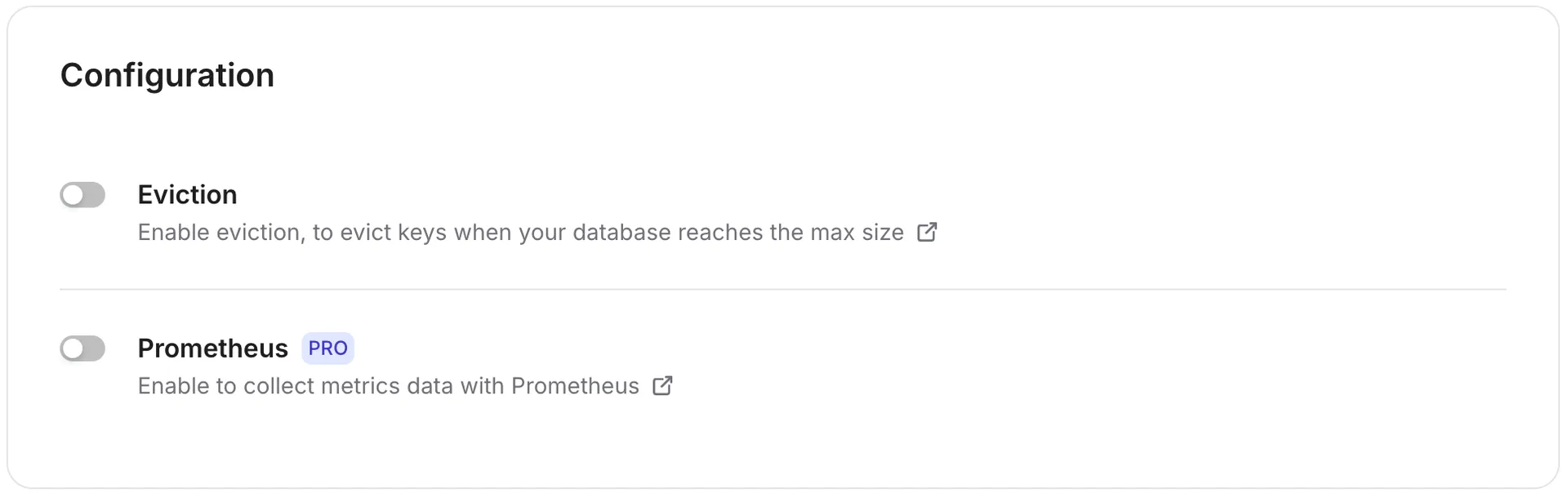
- Enable Prometheus by toggling the switch. This allows you to monitor metrics related to your Upstash database performance, usage, and other key metrics.
Step 3: Connect Accounts#
-
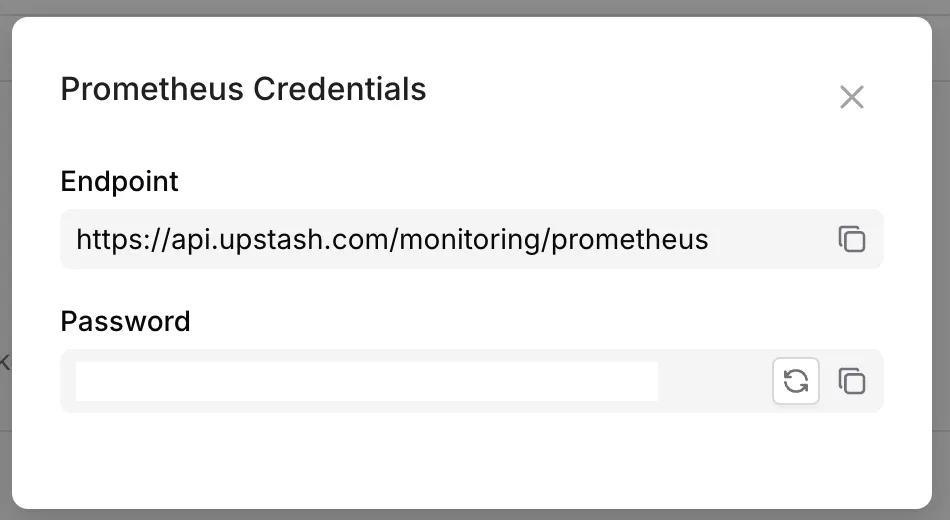
After enabling Prometheus, a monitoring token is generated and displayed.
-
Copy this token. This token is unique to your database and is required to authenticate Prometheus with the Upstash metrics endpoint.
Header Format
You should add monitoring token according to this format Bearer <MONITORING_TOKEN>
Step 4: Set Up Prometheus Connection#
Grafana Dashboard Setup#
- Open your Grafana instance, navigate to the Data Sources section, and select Prometheus as the data source.
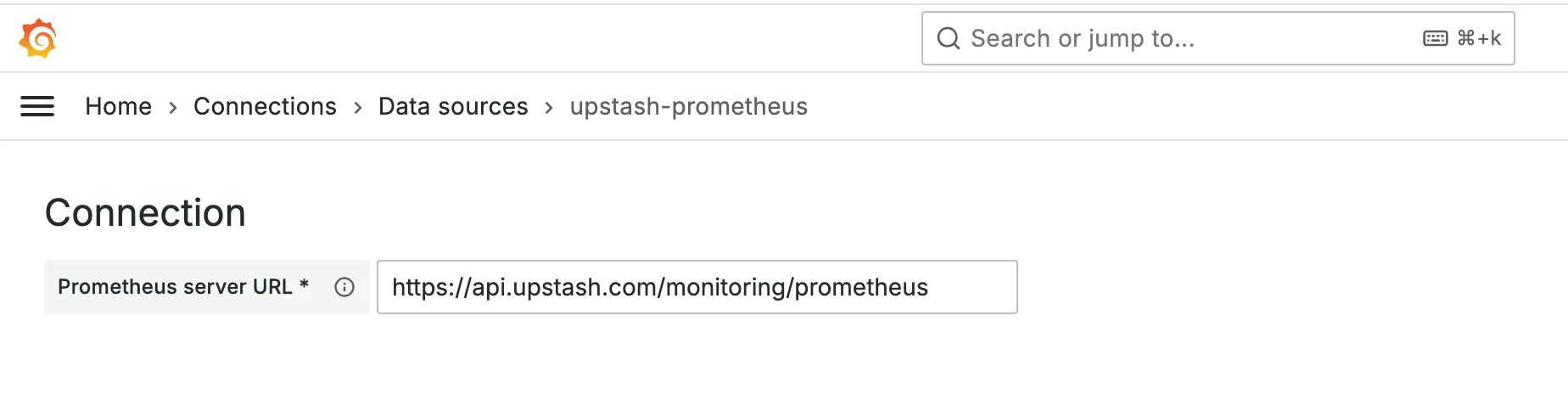
- Enter the data source name, set
https://api.upstash.com/monitoring/prometheusas the data source address, and then add your monitoring token in the HTTP Headers section.
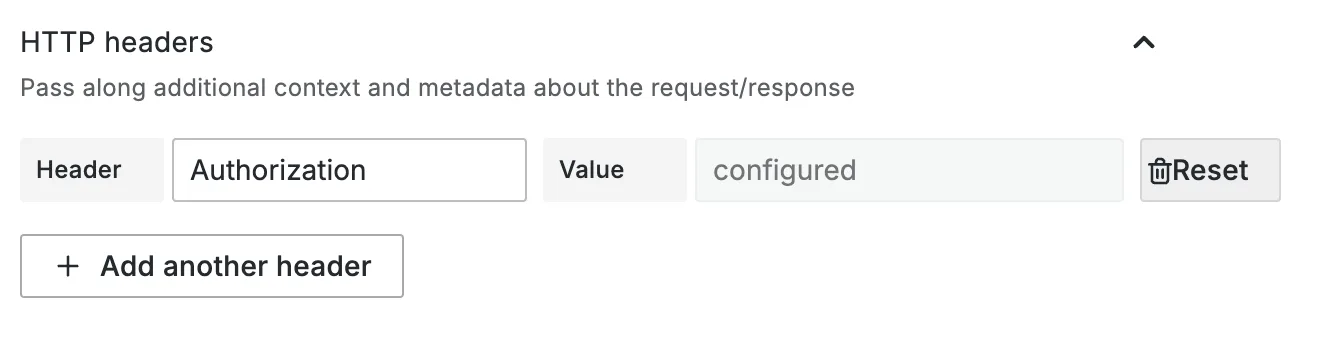
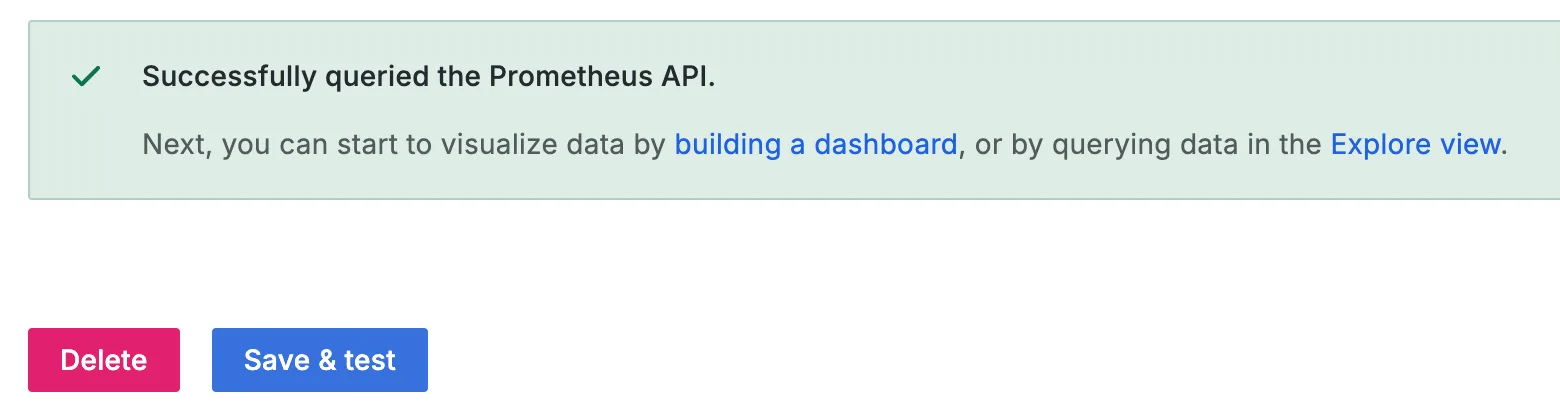
- Then, click Test and Save to verify that the data source is working properly.
Prometheus Federation Setup#
Federation lets your Prometheus pull metrics from Upstash’s API and store them in your own Prometheus instance, so Grafana can query your Prometheus instead of hitting the Upstash endpoint directly.
When to use federation#
- You already run Prometheus and want to persist Upstash metrics locally.
- You want to control retention, recording rules, or alerts on Upstash metrics
- Set up a new scrape job in your Prometheus configuration file (
prometheus.yml):
This configuration assumes you want to pull all metrics. You can adjust the match[] parameter to filter specific metrics if needed.
upstash_db_metrics{database_id="your_database_id"}can be used to pull metrics for a specific databaseupstash_db_metrics{replica_id=~"us-east-1.*"}can be used to pull metrics for replicas in a specific region
- Verify the Federation Target
- Reload (or restart) your Prometheus server to apply the new configuration.
- Visit Prometheus → Status → Targets and confirm
federate_upstashis UP
Step 5: Wait for Metrics Availability#
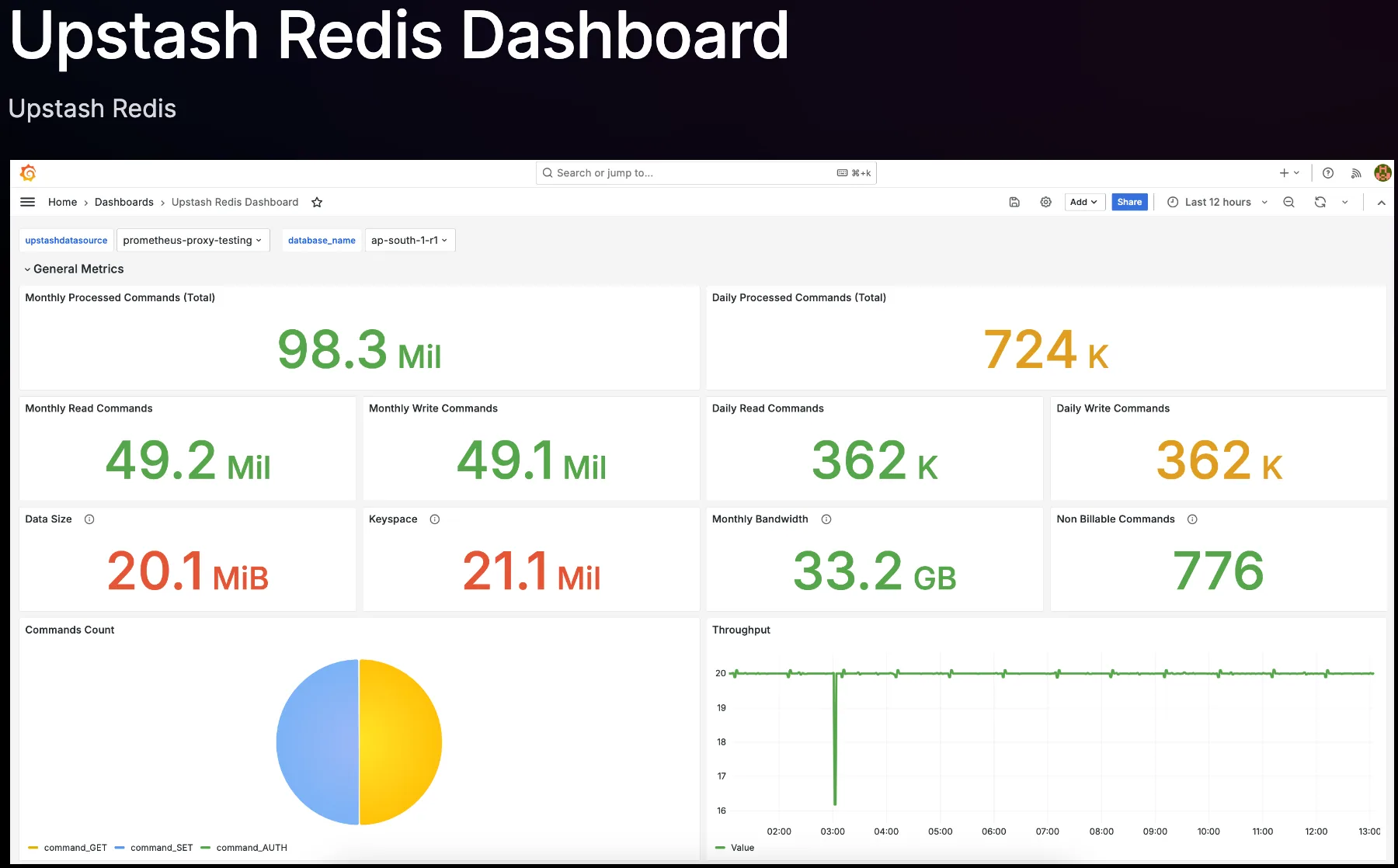
To visualize your Upstash metrics, you can use a pre-built Grafana dashboard.
Select your Prometheus data source when prompted, and complete the import.
Please check this address to access Upstash Grafana Dashboard Dashboard
Available Metrics#
Every series is named upstash_db_metrics and carries the labels database_id, database_name, account_id, replica_id and metric_name. Query one metric by its metric_name label, for example upstash_db_metrics{metric_name="daily_processed_commands"}. A database with several replicas reports one series per replica; sum or take the max over replica_id as the metric suggests. Metrics counted by the Upstash proxies carry replica_id="proxy-<region>", one series per region of proxies.
Latencies are in nanoseconds and describe the last ten minutes. Daily counters reset at midnight UTC, monthly counters at the start of the month, and totals since the database started.
metric_name | What it measures |
|---|---|
persistence_entry_count | Number of keys |
total_data_size | Data size on disk, bytes |
total_processed_commands | Commands processed since start |
daily_processed_commands, daily_read_commands, daily_write_commands | Commands today, and the read and write share |
monthly_read_commands, monthly_write_commands | Commands this month by type |
monthly_processed_console_commands | Commands issued from the console this month, not billed |
non_billable_commands | Commands excluded from billing |
daily_rest_commands | Commands received over REST today |
command_<COMMAND> | Executions of each command today, for example command_GET |
daily_used_bandwidth, daily_bandwidth_ingress, daily_bandwidth_egress | Bandwidth today, total and by direction, bytes |
monthly_used_bandwidth | Bandwidth this month, bytes |
current_client_count, total_client_count | Open TCP connections, and connections opened since start |
rest_conn_count | Open REST connections |
total_hits, total_misses | Key hits and misses since start |
simple_service_latency_p50, _p90, _p99 | Simple service latency: server time from reading a request to writing its response, for requests where every command is a single-key read or write; multi-key commands, scripts and cross-region requests are excluded |
read_service_latency_p50, _p99, _p99_9 | Read request latency |
write_service_latency_p50, _p99, _p99_9 | Write request latency |
command_latency_p50, _p99 | Time the engine spent executing commands, excluding network and queueing |
wait_latency_p99 | Time commands waited for the execution lock |
replication_latency_p99_9 | Time writes were held because of replication: waiting for the backup to acknowledge, or backpressure while a replica catches up |
replication_backup_lag | Updates written on the primary that have not yet been sent to the replica |
lua_latency_p50, _p99, _p99_9, _p99_99 | Lua script execution latency |
daily_script_commands, daily_commands_in_scripts | Script executions today, and the commands they ran |
lua_script_count, lua_script_failures, lua_script_timeouts, lua_script_memory_limits | Scripts tracked today, and how many runs failed, timed out or hit the memory limit |
throttled_commands | Writes delayed today because persistence was falling behind |
auth_failures, rest_auth_failures | Refused authentications over TCP and REST, and commands sent before authenticating, since the database started. REST requests over the rate limit are counted in rest_auth_failures as well |
tcp_over_size_requests, rest_over_size_requests | Requests rejected for exceeding the request size limit today |
over_size_record_accesses | Accesses to keys above the record size limit today |
monitor_count, monitored_commands | Clients running MONITOR, and commands they observed |
keyspace_notifications | Keyspace notifications sent since start |
inmemory_memory_expired_entry_count, persistence_expired_entry_count | Keys removed because their TTL passed since start, in memory and on disk |
slow_command_<COMMAND>, slow_command_count_<COMMAND> | Commands that took 500 milliseconds or longer today: the slowest run in nanoseconds and how often it happened, for example slow_command_count_KEYS |
proxy_undeliverable | Requests and connections the proxies of a region could not hand to any replica today |
Conclusion#
You’ve now integrated your database with Upstash Prometheus, providing access to improved monitoring and analytics.
Feel free to explore Upstash’s features and dashboards to gain deeper insights into your system’s performance.
If you encounter any issues or have questions, please refer to the Upstash support documentation or contact our support team for assistance.