

The Upstash Console exposes metrics in two places: the database list, and the detail page of a single database. This page explains what each chart shows.
Databases with Prod Pack also have an Insights tab, with request routing, latency, limits and keyspace details.
Database List#
The list view aggregates summary information across all of your databases.
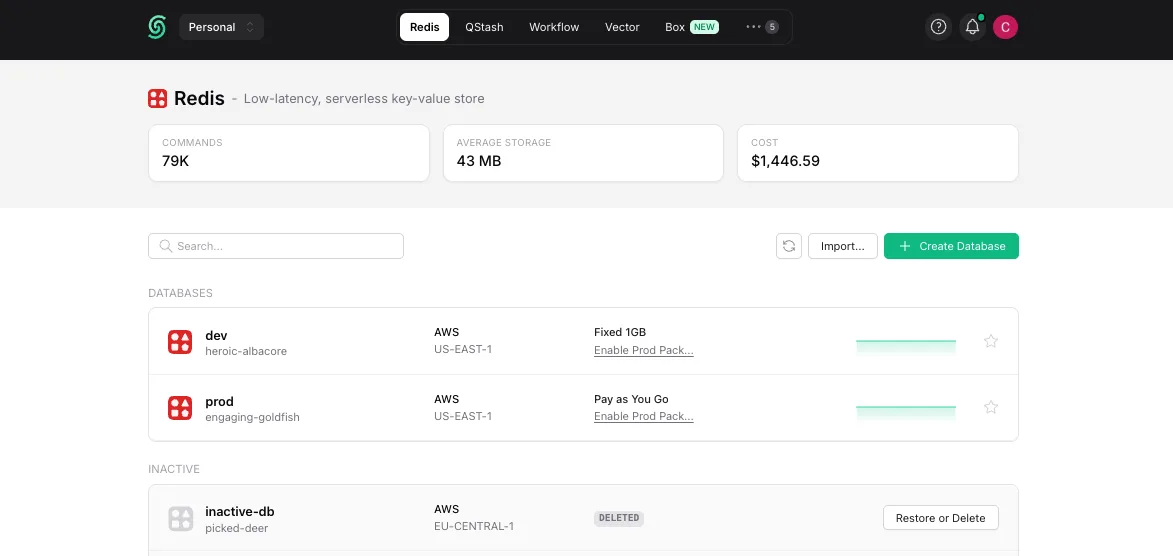
Click a database name to open its detail page. For each row the list shows:
- The region of the database
- The plan of the database (free, pay-as-you-go, fixed, or enterprise)
Database Details#
By clicking on a database on the list page, you can navigate to its detail page.
The charts on this page show metrics that are specific to the selected database.
Current Month#

Daily cost of the database for the current billing month.
Daily Request#
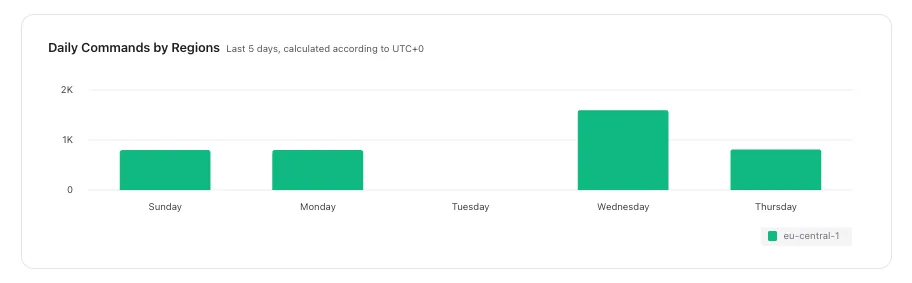
Total number of requests per day, over the last 5 days.
Database Usage#
The “Usage” tab of a database shows detailed charts. Pick the period at the top of the tab: the past hour, 3 hours, 12 hours, day, 3 days or week. Databases on a Pro plan or with the Production Pack can also select the past month. Charts refresh every minute.
Top Commands#
The ten most executed commands over the period, one line each.
Throughput#
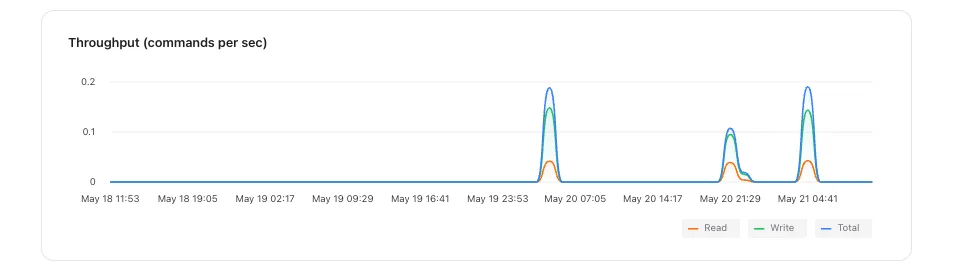
Reads, writes and all commands per second.
Service Time Latency#
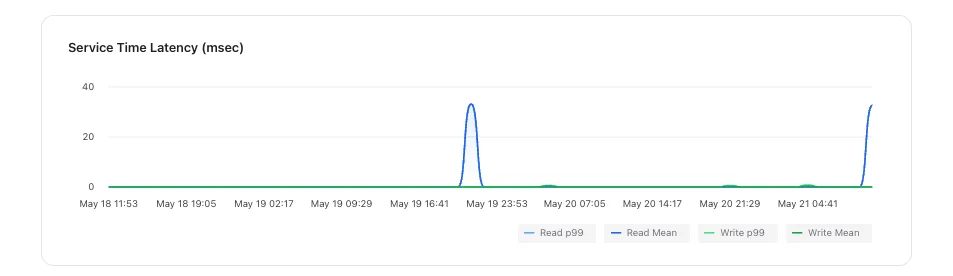
The time between a request reaching the server and its response leaving it, for reads and writes separately, as the median (p50) and the 99th percentile (p99). Every latency chart describes a sliding ten-minute window, so it reacts within minutes; an idle database shows no data rather than zero.
Data Size#
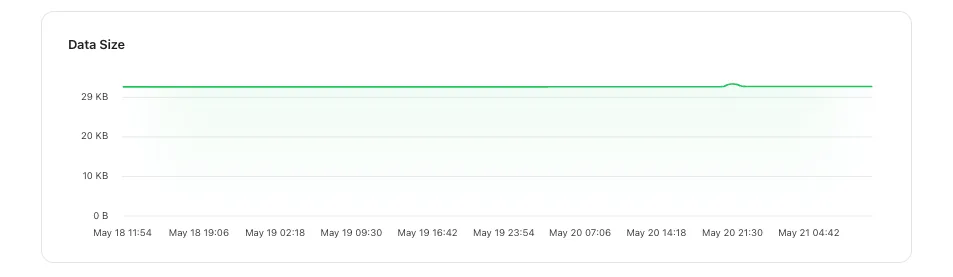
The data size of your database on disk.
Connections#
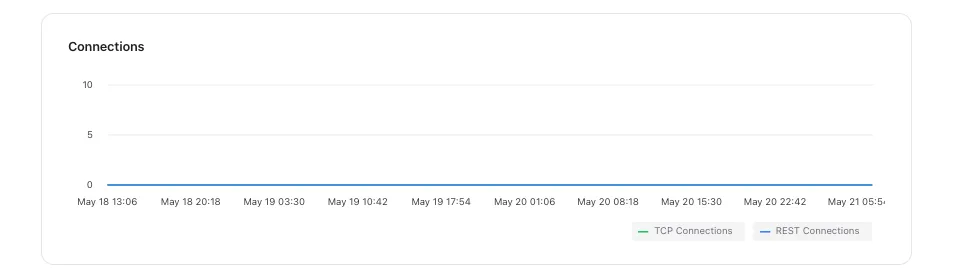
Open TCP connections and open REST connections.
Key Space#
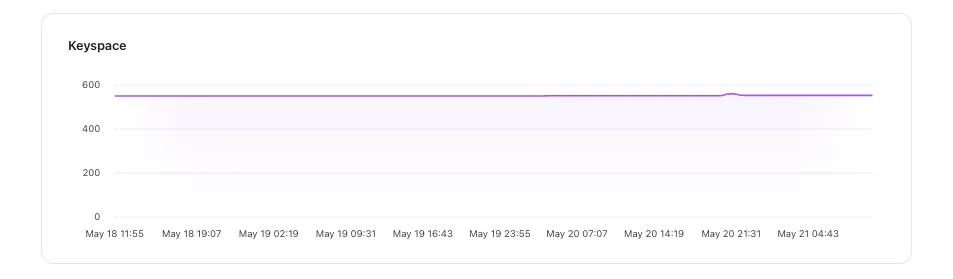
The number of keys in the database.
Hits / Misses#
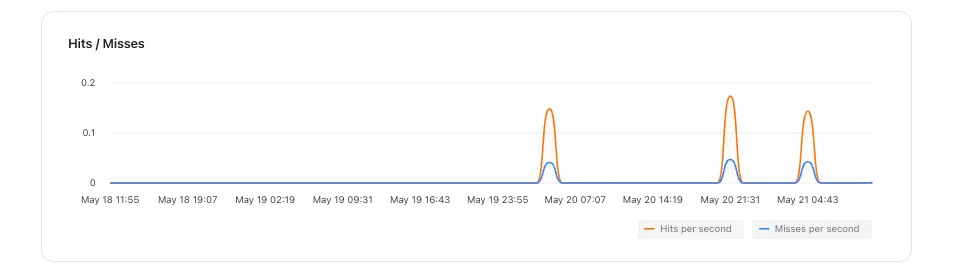
Key hits and misses per second.